
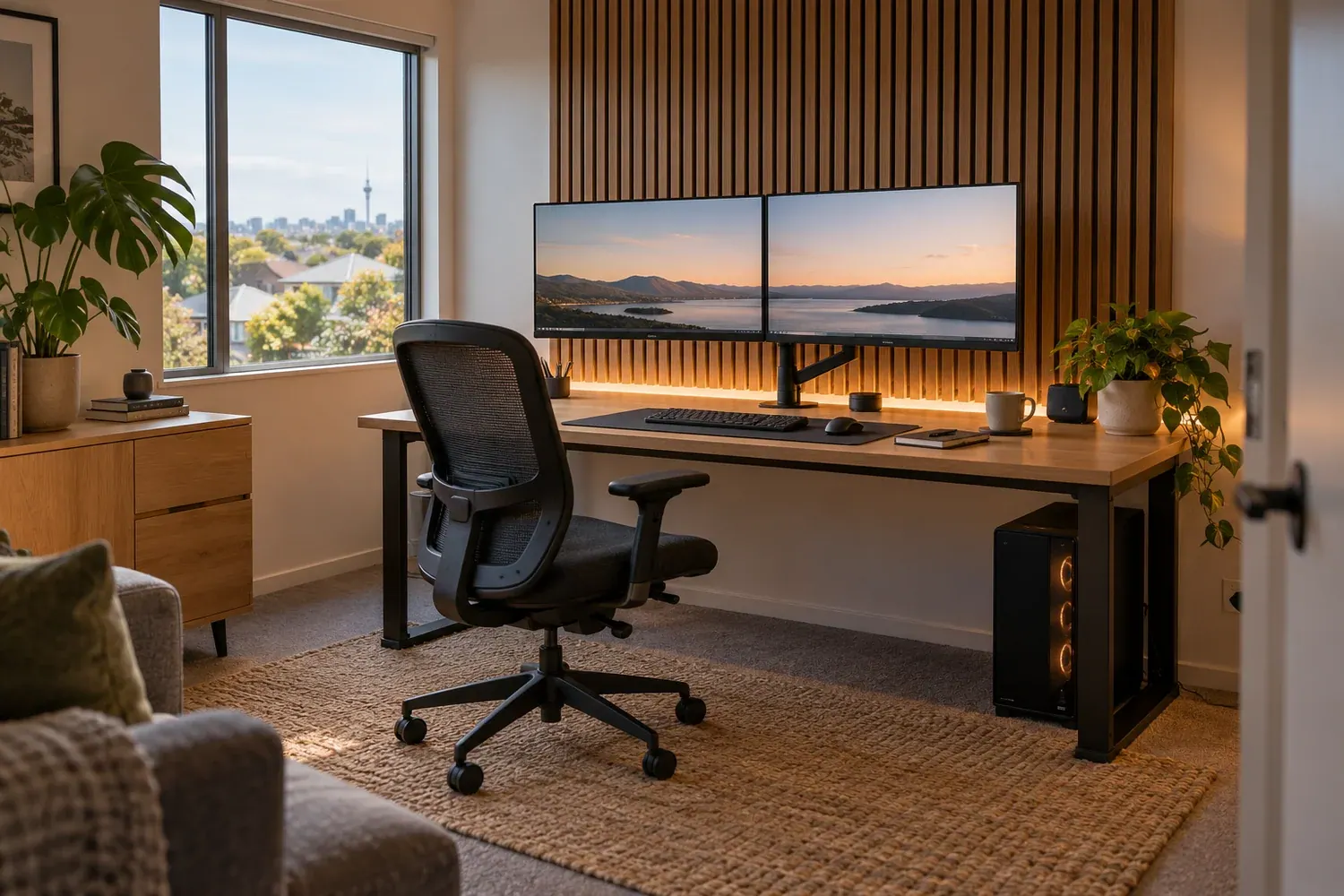
Choose the room’s main jobs
Write down who uses the room and when: focused office work, video calls, PC gaming, console play or a shared setup. A dual-purpose room does not need every feature at once. Choose the two or three problems you most want to solve, such as cables across the desk, an awkward second monitor or nowhere to store equipment.
Measure the room, doors and windows. List the furniture and equipment you want to retain, including the desk depth, monitor arrangement and PC position. Leave room for chair movement, doors and access to plugs rather than filling every wall with storage.
Plan light before decorative effects
Check the room at the times you actually use it. A bright window, reflective desktop or light aimed at the screen may be more distracting than the wall colour. WorkSafe identifies glare and poorly arranged workstations as factors in discomfort. Adjustable equipment and lighting should fit the user and task.
Separate useful task lighting from decorative lighting. Discuss how you will control them for work, calls and gaming, and what your camera will see behind you. A photograph with dramatic coloured light is a style reference, not proof that the same arrangement will be comfortable for daily work.
Keep cable routes serviceable
List every device and where its cables end: monitors, dock, console, audio, charging and internet connection. Agree what will be surface-managed, what can be concealed and how you will replace a cable later. Leave suitable ventilation and the access required by equipment manufacturers.
New power points and fixed electrical changes require an appropriately licensed electrical worker and a separately agreed scope. Physical cable management does not include network troubleshooting or PC repairs. If you expect those services, identify them before the quote is prepared.
Distinguish echo control from sound isolation
Explain the sound problem in ordinary terms. Is your microphone picking up an echo, or can somebody in the next room hear late-night games? Absorptive products such as those described by Autex are intended to control reverberation inside a space. They are not, by themselves, a promise that sound will stop passing through walls, doors and floors.
Agree the product, coverage and intended result. If sound isolation is essential, treat it as a separate design question before selecting a decorative panel finish. In a rental, get written permission for the proposed fixed work and record reinstatement conditions.
Turn inspiration into a scoped installation
TrickyBuilds’ room installation projects start from $3,000 including GST. This is not the price of every illustrated room. PCs, monitors, peripherals, desks and chairs are not automatically included; finishes, joinery, painting and specialist trades must be stated in the written scope.
Bring your room photos, measurements and priorities to the $75 planning visit. We discuss the agreed work and prepare a written quote. Website room images are labelled AI concepts, so use them to communicate a direction rather than as completed-project evidence. Your actual products, dimensions, price and programme are confirmed for your room.
Common questions
What budget should I allow?
Installation projects start from $3,000 including GST. The room, finishes, products and agreed installation scope determine the final quote. The starting amount is not a fixed package or the price of every pictured concept.
What does the $75 planning visit include?
Up to 60 minutes at your Auckland property to discuss the room, existing equipment, priorities and budget, followed by a full written quote for the agreed work. We usually send it around three days after the visit and confirm timing with you.
Is the planning visit credited to my project?
The paid $75 including GST is credited once to the same job if you proceed before your quote expires. Your quote shows the actual expiry date.
Can I keep my desk, PC and monitors?
Yes. We can plan the layout, mounting, finishes, lighting and cable management around equipment you want to keep. Any new equipment or furniture is agreed and priced separately.
Sources and further reading
- WorkSafe: office workstations and lighting
- Autex: acoustic absorption and echo control
- EWRB: using a registered electrical worker
- Tenancy Services: changes to a rental property
General planning guidance, checked 16 November 2026. Confirm the requirements, inspection scope and professional advice for your property before committing to work.
Bring your room priorities to Caleb
Installation projects start from $3,000 including GST. The separate $75 planning visit helps define the room and written quote; its paid fee is credited once to the same job before your quote expires.